Settings and key reference
Every Setting and what it changes, and every key on the board.
Press Esc with nothing open to get the Menu, then choose Settings. On the title screen, Settings is in the taskbar. The panel is a list of switches and buttons, and each change applies at once.
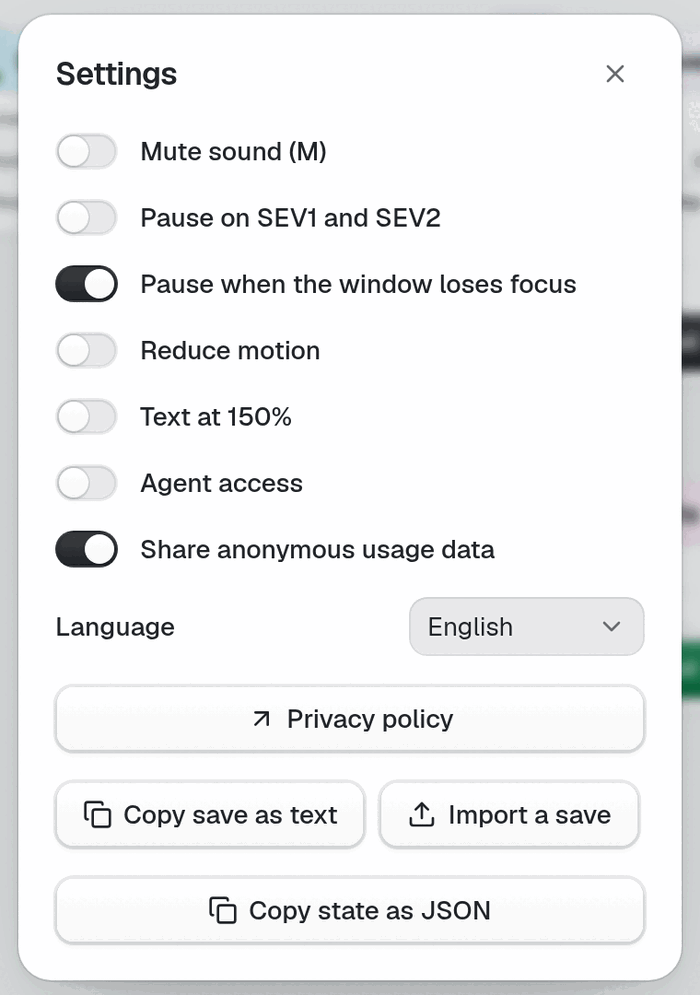
Settings#
| Setting | Effect |
|---|---|
Mute sound (M) | Turns all sound off. |
| Pause on SEV1 and SEV2 | Pauses the clock when a severe incident starts. Off by default. |
| Pause when the window loses focus | Pauses when you switch tabs or windows. On by default. |
| Reduce motion | Cuts animation. When off, the game follows your system setting. |
| Text at 150% | Makes interface text larger. Cards on the board scale with zoom instead. |
| Agent access | Lets a local agent read the game through the relay. It can only read. Off by default. |
| Share anonymous usage data | Sends anonymous usage data. Off stops capture. On by default. |
| Language | Picks the interface language. |
| Privacy policy | Opens the policy in a new page. |
| Copy save as text | Copies this Company as text that starts with QSV1:. |
| Import a save | Asks you to paste that text and loads it. |
| Copy state as JSON | Copies the whole game state, for bug reports. |
Settings belong to the browser, not to a Company. Read Import your playtest save before you use Import a save. Read the privacy page for what the usage data holds.
The Menu also holds Resume, Export playtest log, Exit company when you can exit, and Title screen.
Keys#
Keys work when you are on the board and not typing in a field. They do not work while you hold Alt.
Panels#
| Key | Action |
|---|---|
R | Research, once it shows |
T | Team, once it shows |
D | Dashboard, after metrics |
P | Playbooks, after your first Exit |
G | Glossary, after your first Tradeoff card |
I | Inbox |
$ | The cloud bill: Burn, Revenue, margin. It has no button. |
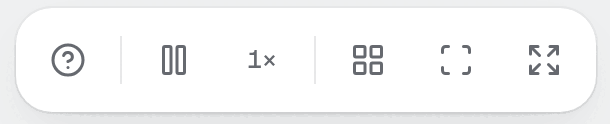
H or ? | How to play |
Esc | Close the top layer; with nothing open, open the Menu |
Clock and view#
| Key | Action |
|---|---|
Space | Pause or resume |
S | Next speed: 0.5×, 1×, 3×, 10×, then back |
Z | Undo |
Shift+Z, Y | Redo |
Shift+T | Tidy by zone |
Shift+F | Fit the board |
F | Fullscreen |
M | Mute |
C | Collect the Payments drawer |
Build#
| Key | Action |
|---|---|
1 to 7 | Open that build group: Edge, Compute, Data, Messaging, Platform, Observability, Managed. Only groups you can use count, in the order shown. |
1 to 9 in a group | Pick that part from the open list |
Enter | With a part in hand, place it in the next free spot |
Esc | Drop the part |
Select and move#
| Key | Action |
|---|---|
| Arrow keys | Select the nearest Node in that direction |
Enter | Open the selected Node's Inspector |
L | Start a Link from the selected Node |
L or Enter on a target | Finish the Link. Esc cancels. |
U | Buy the next size for the selected Node |
Shift+Arrows | Nudge the selection |
Ctrl/Cmd+A | Select all |
Ctrl/Cmd+C, X, V | Copy, cut, paste |
Ctrl/Cmd+D | Duplicate |
Delete, Backspace | Sell the selection, or cut the selected Link. Sell asks first, and Enter confirms. |
Arrow keys and Enter work only when the board has focus, not while a panel does.
Mistake to avoid: reading Esc as "close". It closes the top layer, one at a time. Press it again and it opens the Menu.
Next: First five minutes.