Clock, undo, saves
Pause and speed the clock, undo and redo with the 30 second refund window, and how the game saves, exports and imports a Company.
Space pauses and resumes the clock, S changes its speed, Z undoes your last action, and the game saves your Company by itself every few seconds. While the clock is paused, you can still place, move, sell and resize, so use a pause to plan.
Pause and speed#
The toolbar at the top right holds the clock controls.
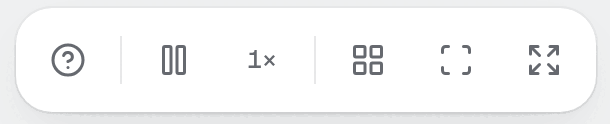
Look at the speed button. It shows the current speed, such as 1×, and it lights up above 1×.
Press
Space, or press Pause (Space) in the toolbar. The button turns into Resume (Space), and the Board stops moving.Press
Spaceagain to resume.Press
S, or press Speed (S), to step to the next speed: 0.5×, 1×, 3×, 10×, then back to 0.5×. Perks can add 20× and 40× to the cycle.
At 1× one second of play is one second of the clock. The calendar on the HUD runs faster: one second is one calendar minute. A faster speed runs more Steps in the same real time, and the Simulation gives the same answers at every speed, so use a high speed to wait and a low one to watch a failure.
Pause on blur#
When you switch to another tab or window, the game pauses by itself, and it resumes when you come back. This is the Pause when the window loses focus switch in Settings. It is on by default. If you pause by hand and then leave the window, the game stays paused when you return.
A second switch, Pause on SEV1 and SEV2, pauses the clock when a serious Incident starts. It is off by default.
Undo and redo#
Press Z to undo your last action. Press Shift+Z or Y to redo it. The toolbar buttons Undo (Z) and Redo (Shift+Z) appear after your first action, and dim when there is nothing to undo or redo. The change pill under the toolbar also carries an Undo icon after a change.
What you can undo: placing, selling, resizing, Links and cuts, Tidy, option changes and bulk actions. A toast says what happened, for example Undid: Placed App Server. or Redid: Placed App Server.
The history holds the last 50 actions. A new action clears the redo list.
The 30 second refund window#
An undo within 30 seconds of the action reverses its Cash exactly. Undo a purchase of $240 after 10 seconds and you get the $240 back. After 30 seconds the Cash settles at normal prices:
Undoing a placement refunds half of the price, as a sale does.
Undoing a sale costs the full place price again.
Undoing a resize moves no Cash.
Timers are on the clock, so a paused game does not run the 30 seconds out.
Undo restores the Design, not the world. Credits, memory leaks and failures keep what time did to them. Undo never gives you more Cash than you paid.
Two refusals to know: Nothing to undo., Nothing to redo., and Not enough Cash to undo that. when the settled price is more than you hold.
Autosave#
The game saves the open Company every 5 seconds of clock time, and once at the moment you found it. It stores the file in the browser, on this device. A Company on a paused clock does not advance, so it does not save again. Sandboxes and Challenges do not save to a Company.
Because the save lives in the browser, clearing site data deletes it. Export a save for a Company you care about.
Companies#
The browser keeps any number of Companies. Open the title screen with Menu (Esc), then Title screen, and choose Companies. The list shows every Company with its Venture, Era, users and play time, newest first, and marks the current one Current.
Select a Company.
Press Continue for the current one, or Open company for another.
To remove it, press Delete company, then Delete forever. Keep company cancels. Deleting also deletes its Design, and there is no undo.
Export and import#
On the Board, press
Esc, choose Settings.Press Copy save as text. The toast reads Copied the save as text. The clipboard holds one line that starts with
QSV1:. Paste it into a file or a note.To load it, open Settings and press Import a save. The browser asks Paste a save (QSV1:…). Paste the line and confirm.
A good import ends with Save imported. and replaces the open Company with the file. The old state is gone, so export first if you want to keep it. Failures say why:
That is not a save. The text is not a Quorum save.
That save is from another build (x; this build is y). The game version differs.
That save could not be read. The text is damaged.
A Sandbox or Challenge answers A Sandbox or Challenge has no save. to both buttons. Copy state as JSON in the same list copies the raw game state, for bug reports.
Mistakes to avoid#
Waiting 30 seconds and expecting a full refund. After the window, an undo pays the settled price.
Pressing
Swhile a text field has focus. Keys are ignored inside fields.Importing over a Company you have not exported.
Leaving a high speed on through an Incident. Press
SorSpaceto slow down.
Next: Research and Team panels.