Move, select, copy, sell
Drag Nodes, select one or many, copy, duplicate, nudge, tidy, fit the view, and sell what you no longer need.
Drag a card to move it, click it to select it, and hold Shift to select many. Everything on this page changes the Design only by position or by selling, so it costs nothing except a sale.
Drag a Node#
Press on the body of a card and drag. The card follows the pointer after a few pixels of movement.
Release. The card lands on an 8 pixel grid. If the spot overlaps another card, it slides to the nearest free spot.
Links follow the card. Pressing on the blue output port at the right edge of a card starts a Link instead of a move, so grab the card by its title or its rows. Wire Nodes with Links covers the port.
A plain drag from empty space pans the view, and Shift + drag from empty space draws a selection box instead. Scroll the wheel to zoom.
Select Nodes#
| Do this | You get |
|---|---|
| Click a card | One Node selected. The Inspector opens on the right. |
Shift + click a card | The card joins or leaves the selection. |
Shift + drag on empty space | A box. Every card it touches becomes the selection. |
Shift + Ctrl (or Cmd) + drag | The box adds to the selection. |
Shift + Alt + drag | The box removes from the selection. |
Ctrl (or Cmd) + A | Every Node on this region's Board, except the fixed ones (Users, Payments) and shared Nodes. |
Click empty space, or Esc | The selection clears. |
A frame marks the selected group. Drag any selected card, or anywhere inside the frame, and the whole group moves together. A plain click on a card replaces the group with that one Node.
The selection bar#
The bar replaces the build dock at the bottom of the screen while a Shift selection exists. It shows in a Company, not in a Sandbox. It reads N selected, then six icon buttons.
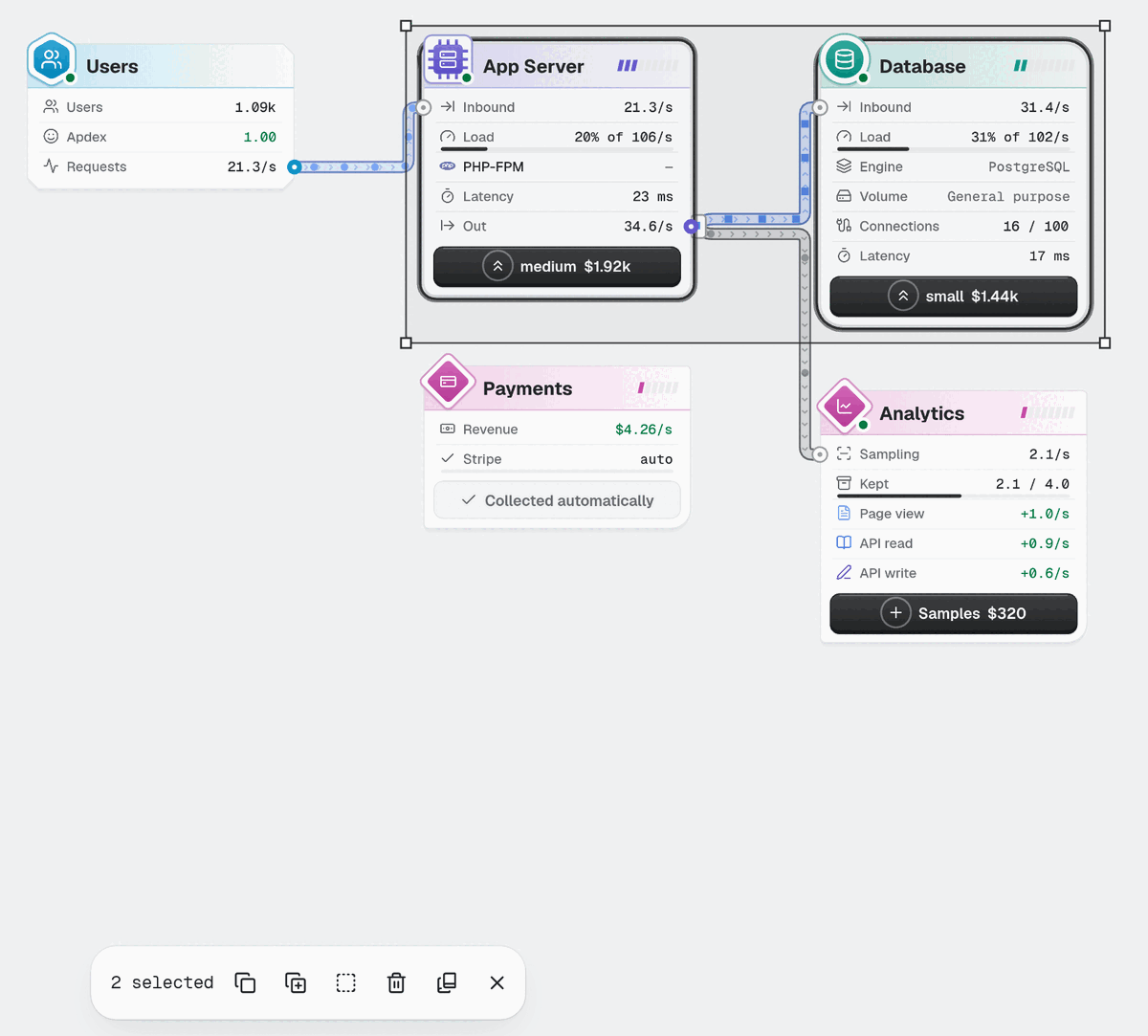
Look at the row of icons: each button shows its name and key when you hover it.
| Button | Key | What it does |
|---|---|---|
| Copy | Ctrl+C | Puts the Nodes and the Links between them on the clipboard. Toast: Copied 3 Nodes. |
| Duplicate | Ctrl+D | Places a copy of the selection 48 pixels down and right, in the nearest free spot. Each copy is paid for like a new Node. |
| Box the Nodes | none | Draws one frame around the selection. Press it again on the same Nodes to take the frame off. |
| Sell | Delete | Asks first, then sells. See below. |
| Save as Playbook | none | Saves the selection as a Playbook that survives Exits. Toast: Saved Playbook 1: 3 Nodes. |
| Clear selection | Esc | Empties the selection. |
Ctrl+C, Ctrl+X and Ctrl+D also work on the one Node that a plain click opened, with no bar.
Copy and paste#
Select the Nodes. Press
Ctrl+C. The toast reads Copied 2 Nodes.Press
Ctrl+V. A bar readsClick to place <name> · Esc, and the copy follows the pointer.Click the Board where the copy should go. It lands in the nearest free spot, and the cost of each Component comes out of Cash.
Ctrl+X copies and sells in one step. Press Esc to drop the copy without placing it.
If nothing is selected, Ctrl+C says Select the Nodes to copy first. and Ctrl+V says Copy some Nodes first. when the clipboard is empty.
Nudge with the keyboard#
Hold Shift and press an arrow key. The selected Node, or the whole selection, moves 16 pixels. If the move would put a card on top of another, nothing happens.
Arrow keys without Shift do something else: they select the nearest Node in that direction. Use them to walk the Design without the mouse.
Tidy and Fit#
Tidy by zone (
Shift+T) lays out every Node on the region's Board in columns, then fits the view. It moves cards only, andZundoes it. A plain drag or nudge is not an undo step.Fit the board (
Shift+F) zooms and pans so every Node is on screen. It moves no card.
Both buttons are in the toolbar at the top right. On a phone they live in the More menu.
Sell#
Selling returns half of what the last copy of that Component cost to place.
Select the Node, then press
Delete(orBackspace), or press Sell in the selection bar or the Inspector.A bar reads Sell 2 Nodes for $120? with Sell and Cancel. The Node is not gone yet.
Press
Enteror Sell to confirm.Escor Cancel keeps everything.
The Links of a sold Node go with it. Z brings back the Node, and within 30 seconds the undo gives back the exact Cash.
Fixed Nodes cannot be sold. Select Users and press Delete, and a toast says Users stays. The same goes for Payments. In a mixed selection the fixed Nodes stay and the rest are sold.
Try it#
Goal: line the cards up in one row, left to right, so that no two touch. Then select two of them with Shift and a click, and select the rest by holding Shift and dragging a box from empty space. A drag without Shift only pans the view.
Mistakes to avoid#
Pressing on the output port and expecting a move. The port starts a Link. Press on the card body.
Expecting a click on empty space to keep the selection. It clears it.
Looking for the bar after a plain click. A plain click opens the Inspector. The bar needs
Shift. For one Node, pressCtrl+C.Selling in a hurry. The confirm bar is there for a reason, and
Zis the second chance.
Next: Read a Node card.